
Written by Delaney Coleman.
MyUCF finally gets a new major update after 20 years of serving the same plain style and receiving frequent complaints from students.
The software update was implemented by the “Knight Vision” project created in 2020, a multi-year plan hoping to replace PeopleSoft with Workday software, in March the new myUCF dashboard had been teased on Reddit by a UCF IT employee.
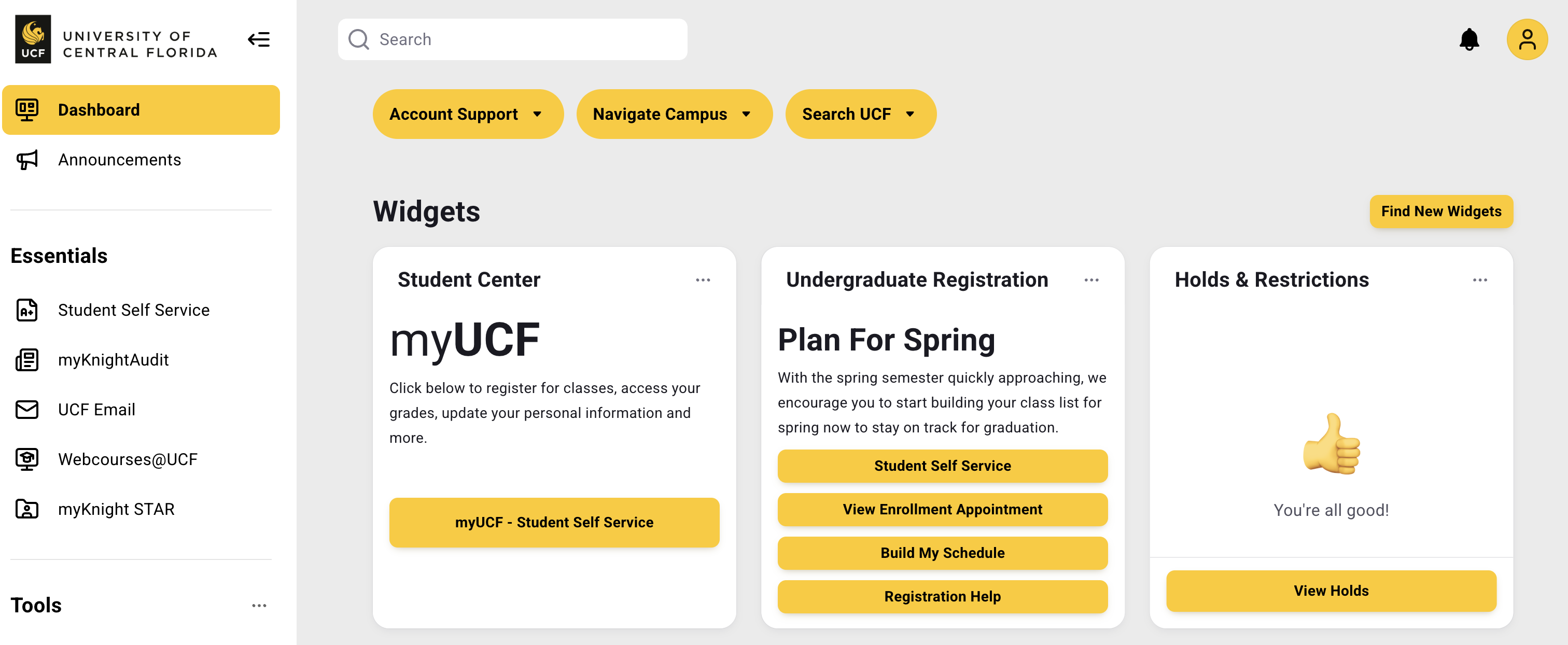
September 29, 2025, was the first day of application, logging in at first, it looks to have everything students are used to including my courses, student self-service center, existing balances, holds and restrictions, etc.
What is new are the multiple links lining the top of the dashboard and navigation bar creating an easy access to multiple tools such as Campus Life, Student Resources, Registration & Courses, Dining Services, etc. Everything is now displayed on a single page without having to click drop-down menus or even being redirected to a different page through a link.
The new page is completely customizable going as far as allowing students to remove, rearrange, and add new widgets to the dashboard. Some of the new widgets can connect student accounts like Office 360, webcourses, and myKnight STAR, extremely useful opportunity to take advantage of. The Troubleshooting the myUCF portal gives video examples of how to set everything up and answering any questions as to how the new update can benefit students.
With this new update there are sure to be setbacks or even bugs, many times when opening myUCF the “404 page not found” error code has popped up, reloading and trying again seems to have ‘fixed’ it. If any other problems occur the UCF IT team is extremely reliable in answering questions regarding any online matter.